 Central Control
The desk runs the whole service
Central Control runs the room from the desk: lights, lyrics, slides, cameras, the stream, in-ears and the run sheet. If you have more than one computer back there, give each one its own jobs and they work together.
One computer per key, with ten releases of updates. Every church pack comes with several.
What Central Control does
Running the service
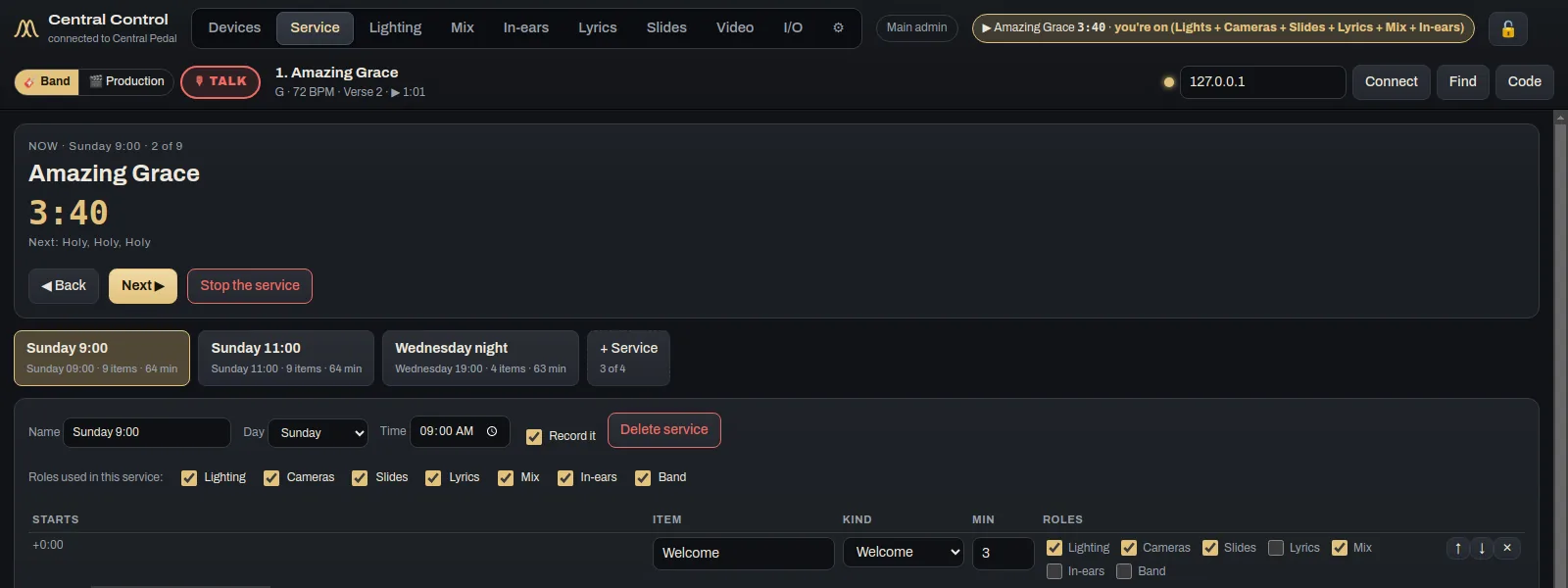
- Run sheetsAnswer a few questions and it puts together a timed run sheet. Press Next and the song, lyrics, lights, slides, camera and stream all move on together.
- Pre-service checkHalf an hour before service it checks the pedals, computers, keys, outputs, mics, lights, cameras, screens and the stream. Anything that isn't right shows amber or red, with what to do about it.
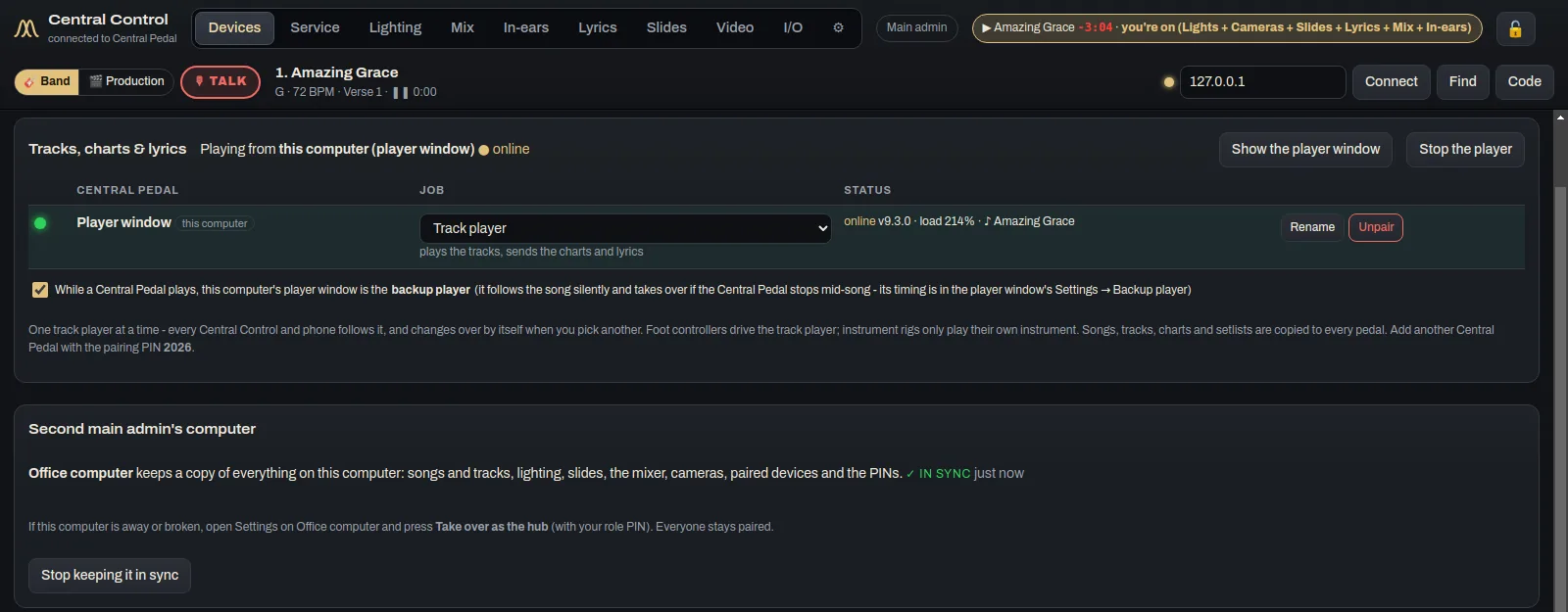
- Give each computer its jobsWhen you set up a computer, pick what it handles. That might be lyrics, lights, cameras, in-ears, tracks, the stream mix or slides.
- TalkHold Talk to speak into everyone's in-ears. Tap it quickly to leave it on.
- Find anythingPress Ctrl+K (⌘K on a Mac) and type. It finds songs, setlists, settings, presets, slide decks and actions like "Start stream".
Lights
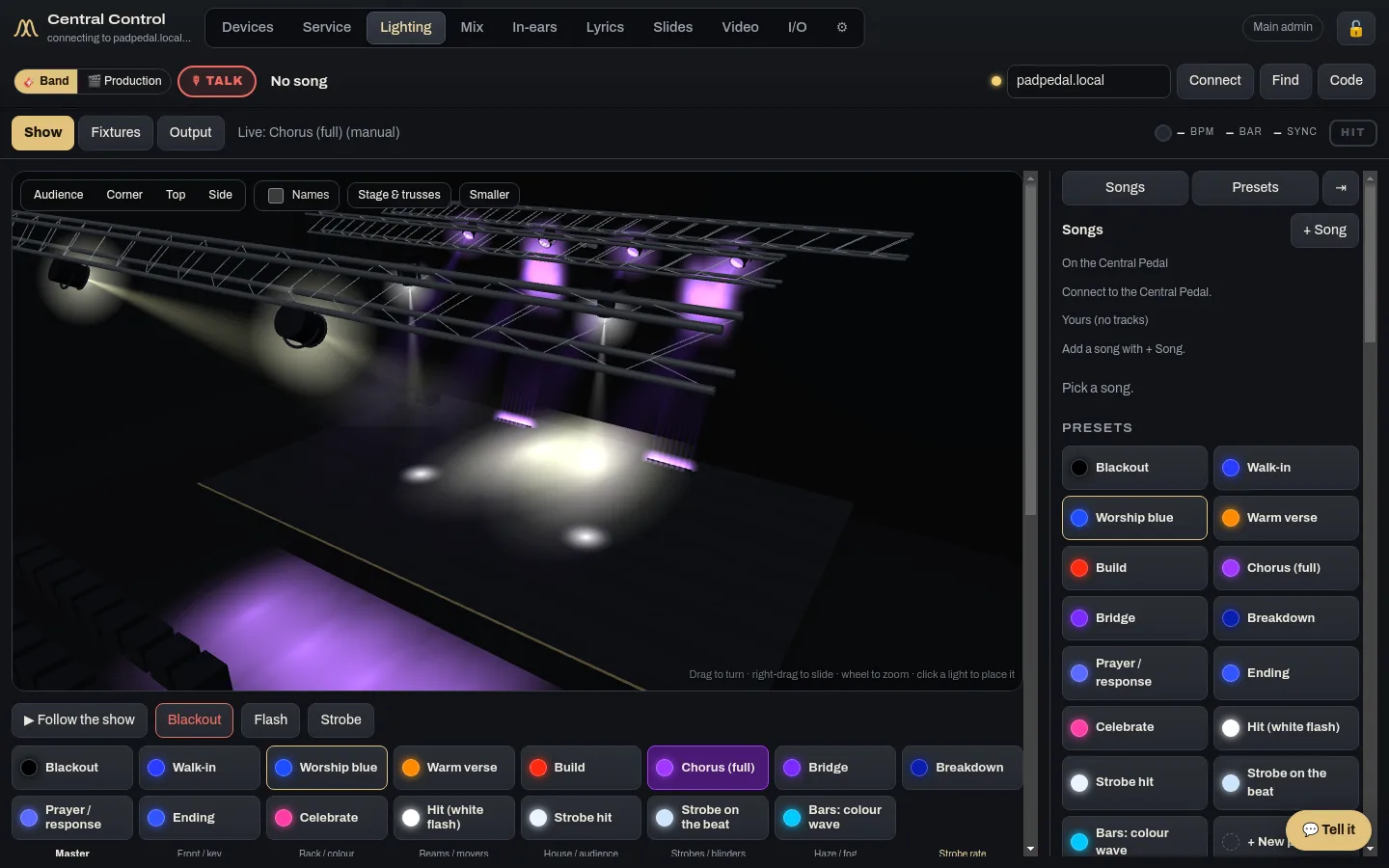
- Your stage in 3DSee each light where it hangs and where it's pointing, with haze and trusses. Screens and projectors show whatever the real screens are showing.
- Your actual fixturesThere are 2,272 real lights to choose from, by maker and model. If yours isn't there, you can make a profile for it.
- Program each lightColour, brightness, position, zoom, gobo, strobe and effects, changed live.
- Lights that follow the songAuto lights change with the song's sections on their own. If you'd rather describe a look, type it and the AI helper builds it.
- Build my stageAnswer a few questions and it builds the stage, the room and the seating. You can also trace over a floor plan or a photo.
- Your room and seatsDraw the auditorium and see how the light falls across the congregation.
- Quick slots and simulateThere are 10 quick slots and the worship leader's setlist. Simulate plays the whole set on screen without touching the real lights.
Lyrics, slides and video
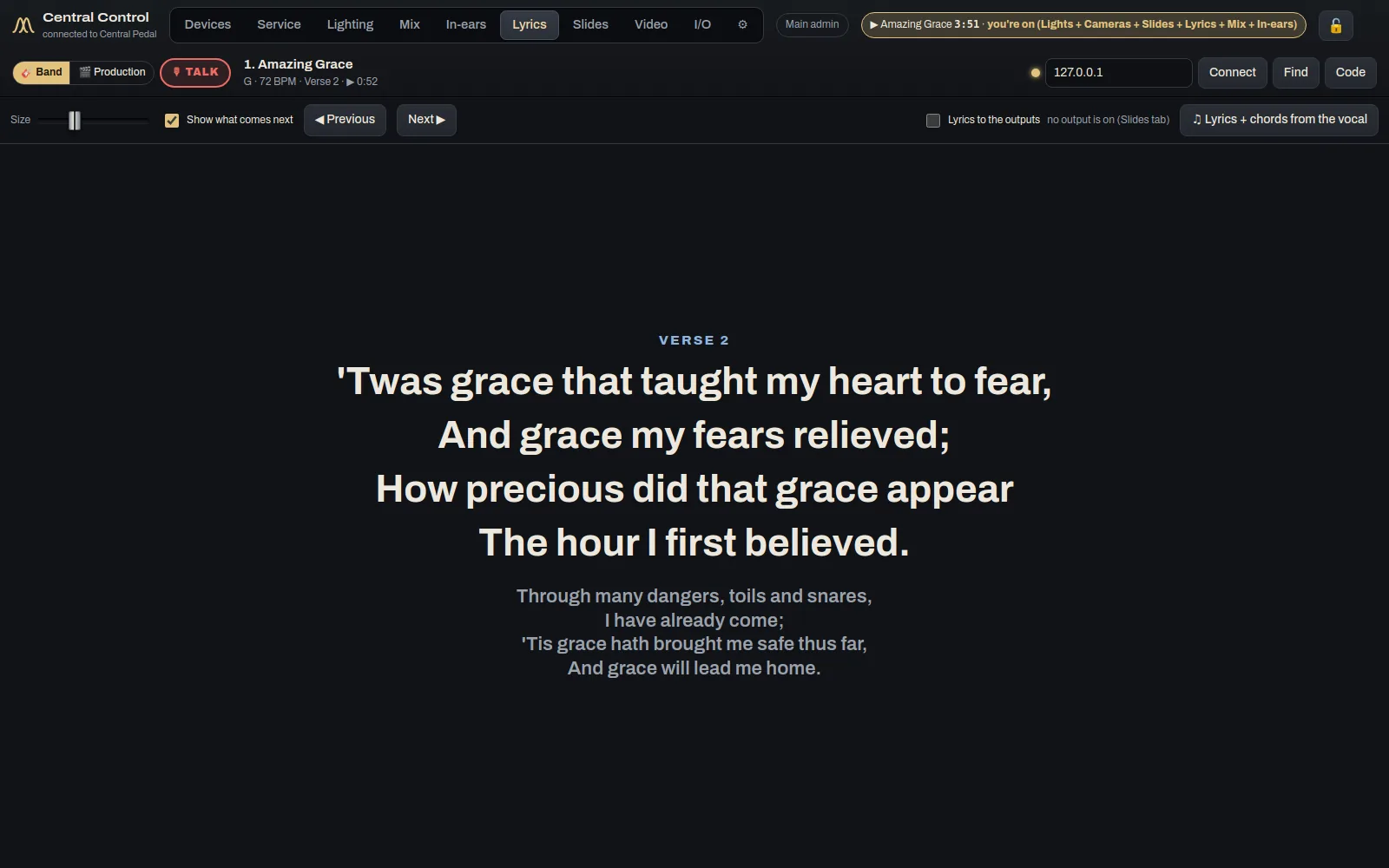
- Lyrics that follow the trackThe words move with the song. There are 61 backgrounds built in, moving and still, and you can pick one per song or per section. Central Utility brings that to 118.
- A screen for the bandThe confidence monitor shows the current lines in yellow and the next ones in white, with chords, a clock and messages from the booth.
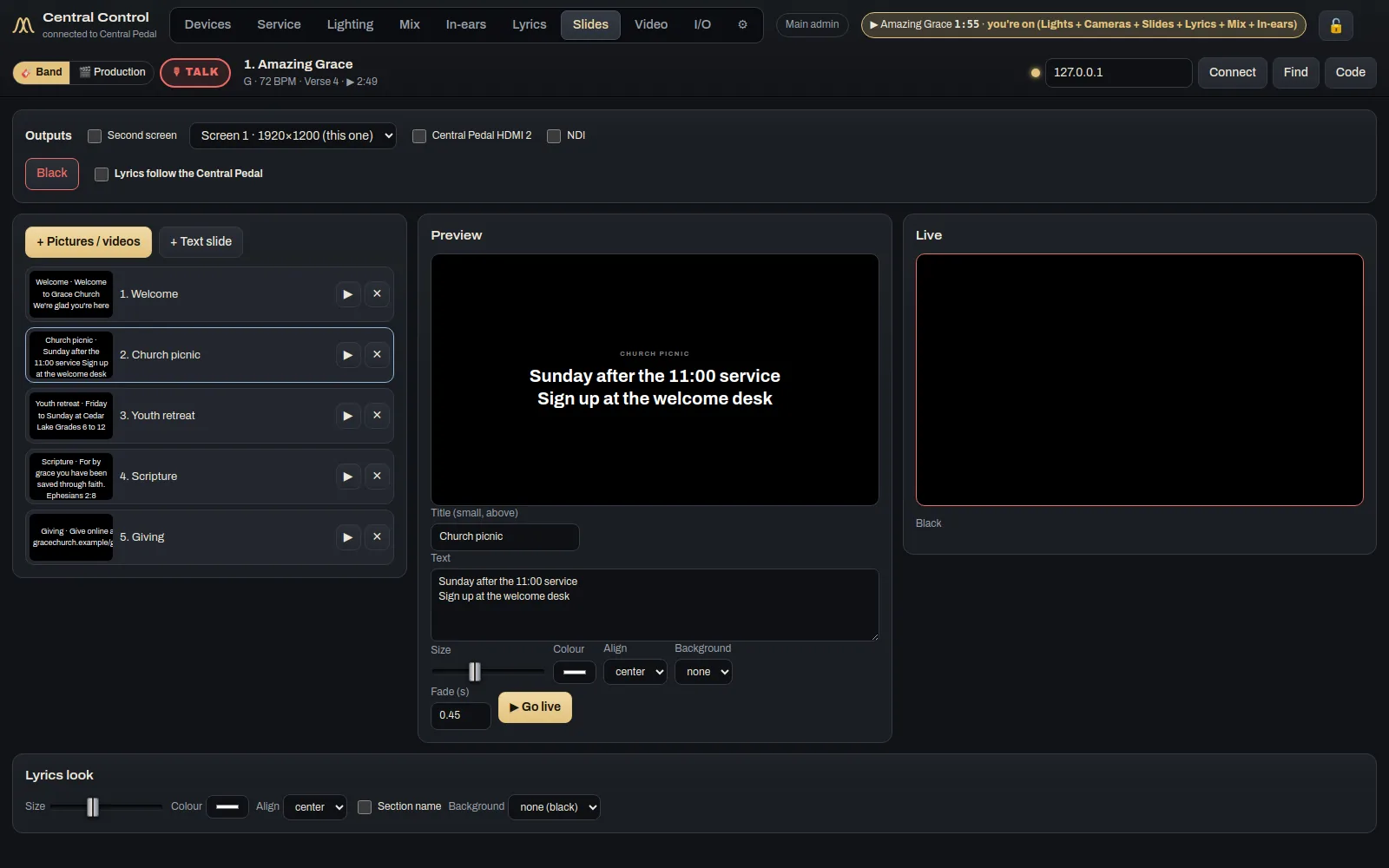
- Design your own slidesUse themes, templates, transitions and lower thirds. You can bring in pictures, PDFs and PowerPoint files.
- Scripture in secondsType "John 3:16" and you get the slides and a caption for the stream. Four Bible translations are built in.
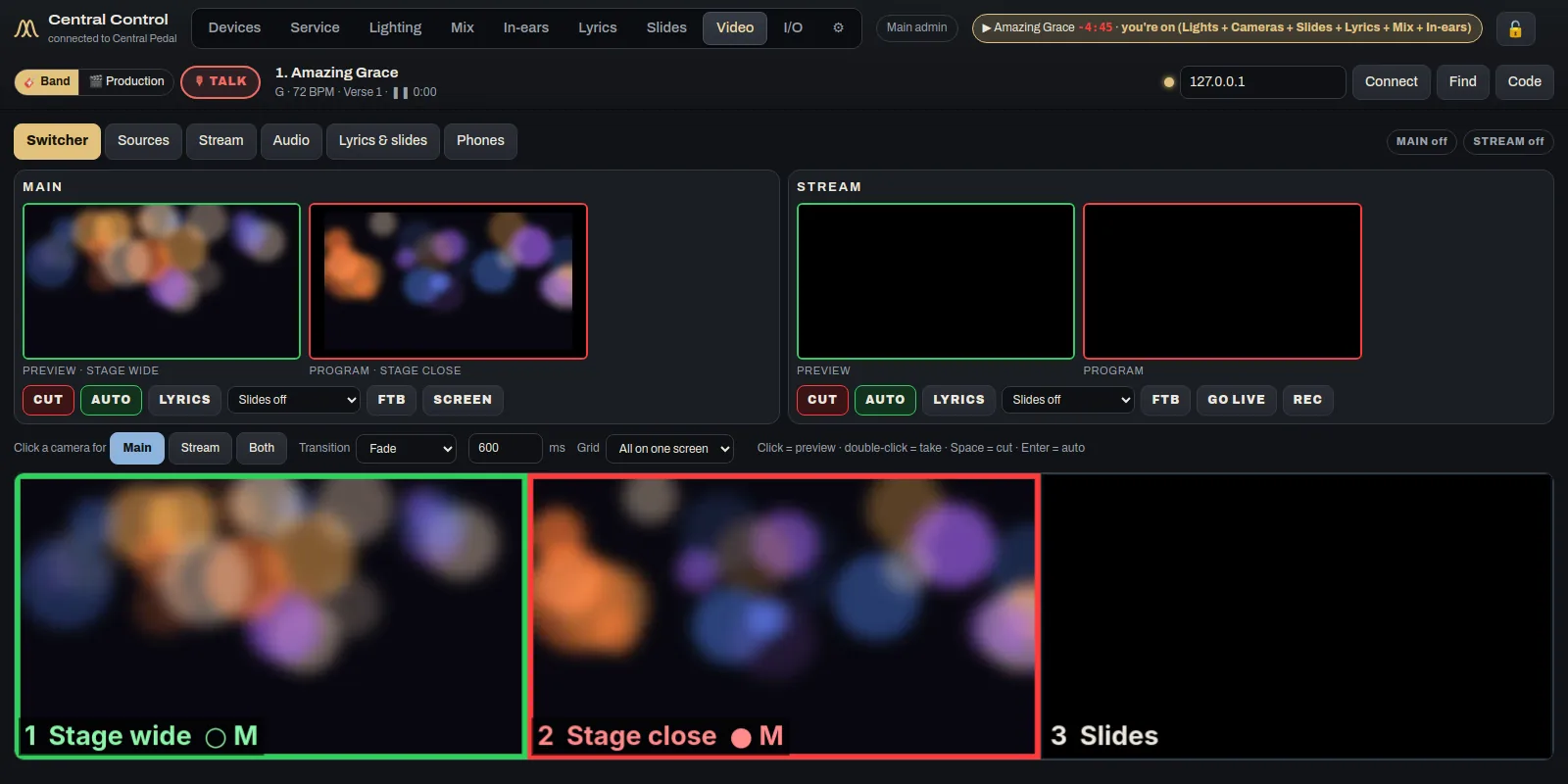
- Cameras and the streamSwitch cameras for the room and the stream, with slides and lyrics laid over the top. It streams over RTMP, SRT and NDI.
Sound and in-ears
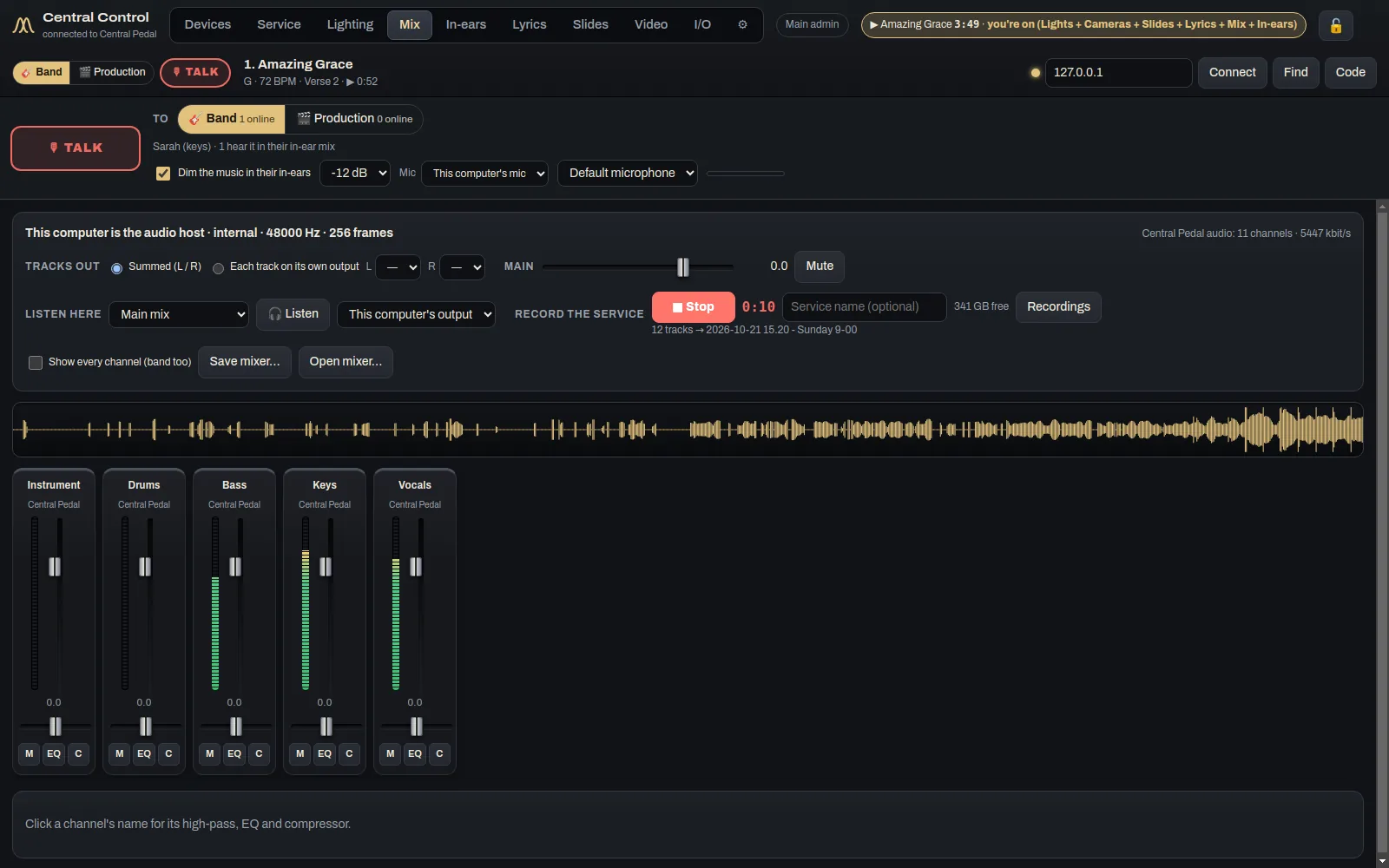
- The mixThe pedal's tracks come in as channels with meters and faders. One button records the whole service.
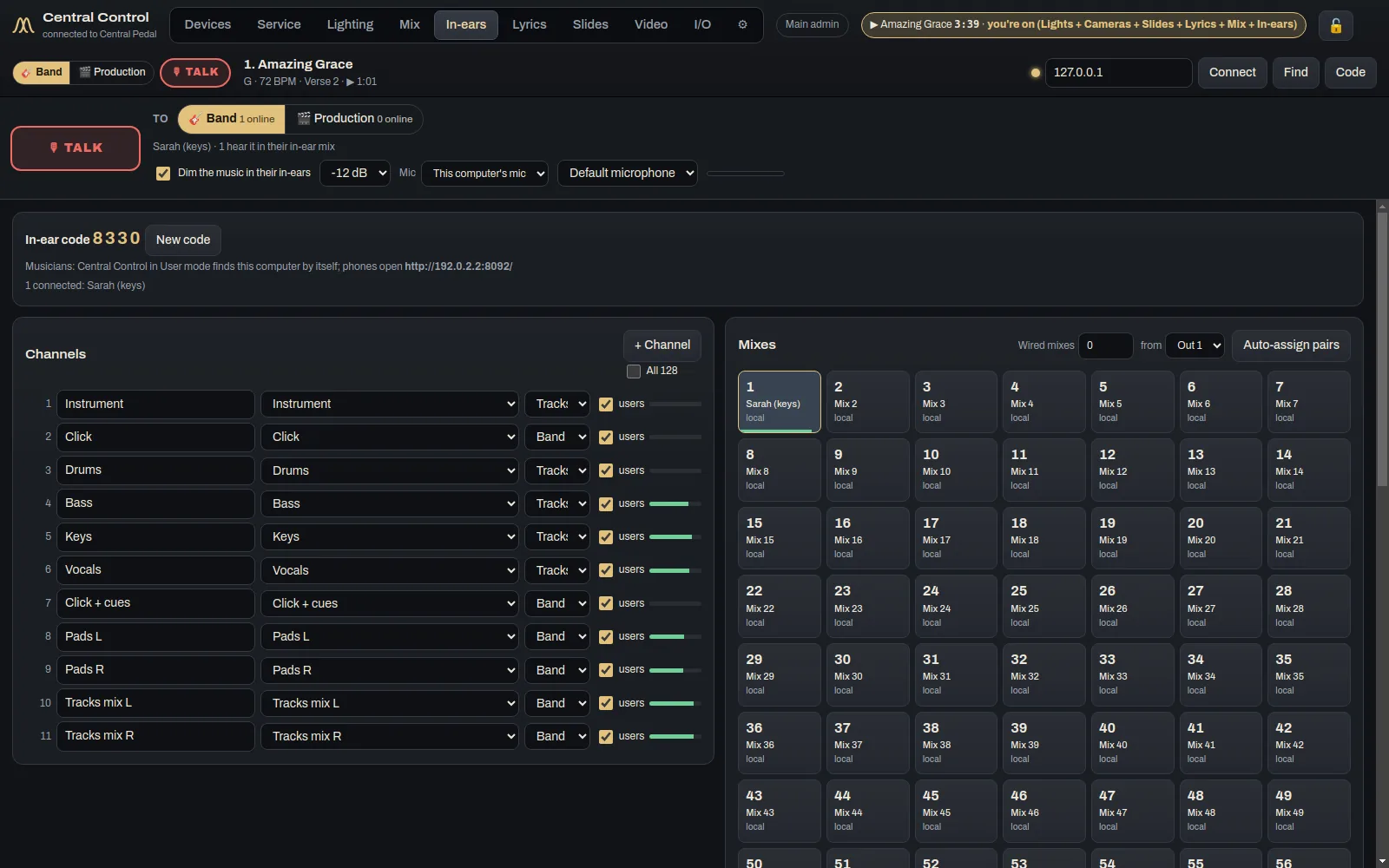
- Up to 64 in-ear mixesEach musician picks a mix and then sets their own levels.
- I/OOne page shows what comes in, what this computer does with it and what goes out.
After the service
- Automatic shortsThe built-in AI finds strong moments in the sermon and high points in the worship, and cuts them into vertical clips with captions. Nothing goes out until you've looked at it and approved it.
- Planning Center and CCLIPlans come in as setlists. The copyright line goes on screen by itself, and the CCLI report fills itself in.
Screenshots
These are from the real app, not mock-ups.
Who it's for
The main admin sets the church up. On Sunday, admins and production volunteers run the desk.
Where it runs
Free to download for Mac, Windows, Linux. The first time it opens, it asks for your key.
DownloadsGet it
One computer per key, with ten releases of updates. Every church pack comes with several.
If you want every detail, there's a full Central Control manual. Stuck on something? Try the Help Center.
The other apps
They're separate apps, but on the same Wi-Fi they find each other and share the work.
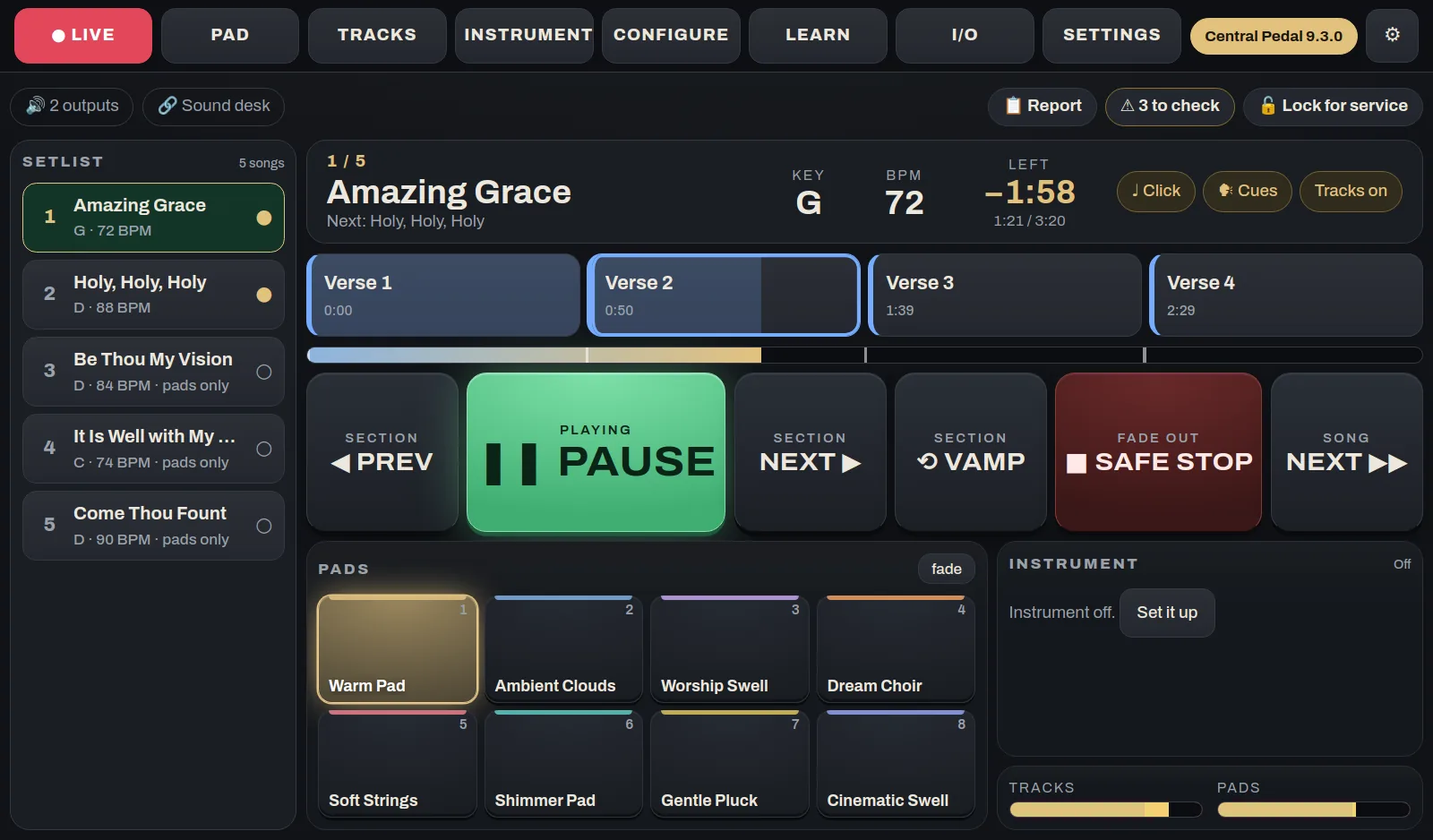
 Central Pedal
The pedal at the worship leader's feetA floor unit that plays your pads and multitracks, shows the chart and lyrics, and runs a looper and a guitar or keys rig. It has 12 footswitches, knobs, a touch screen and two HDMI ports. We build and test each one, and it arrives ready to play.
See what it does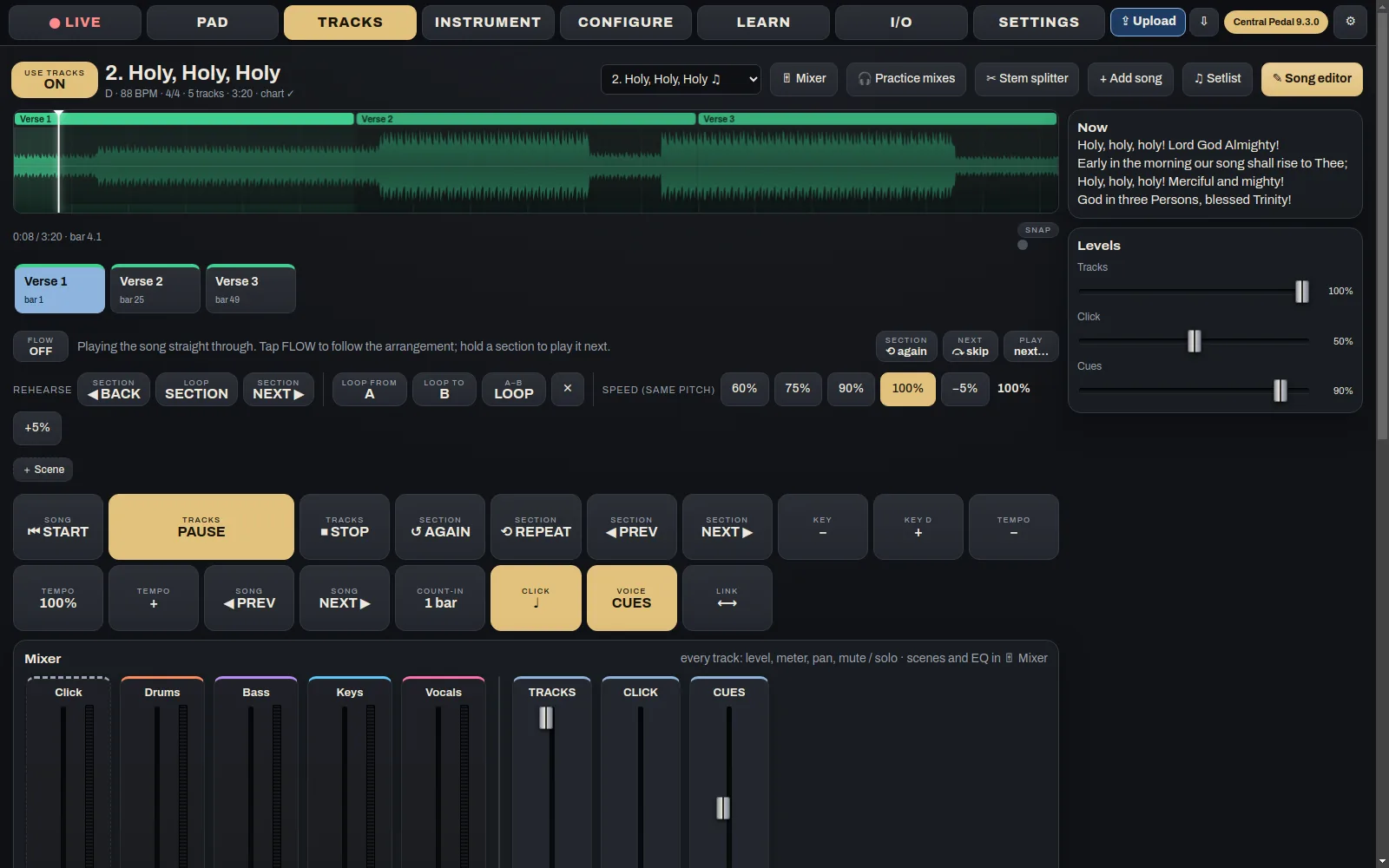
 Central Pedal Control
Get the pedal ready from homeThis is where the week's prep happens. Build the setlist, add songs and tracks, set up the pads and the instrument, and decide what each button on the pedal does. When you're done, press Upload and it all goes to the pedal.
See what it does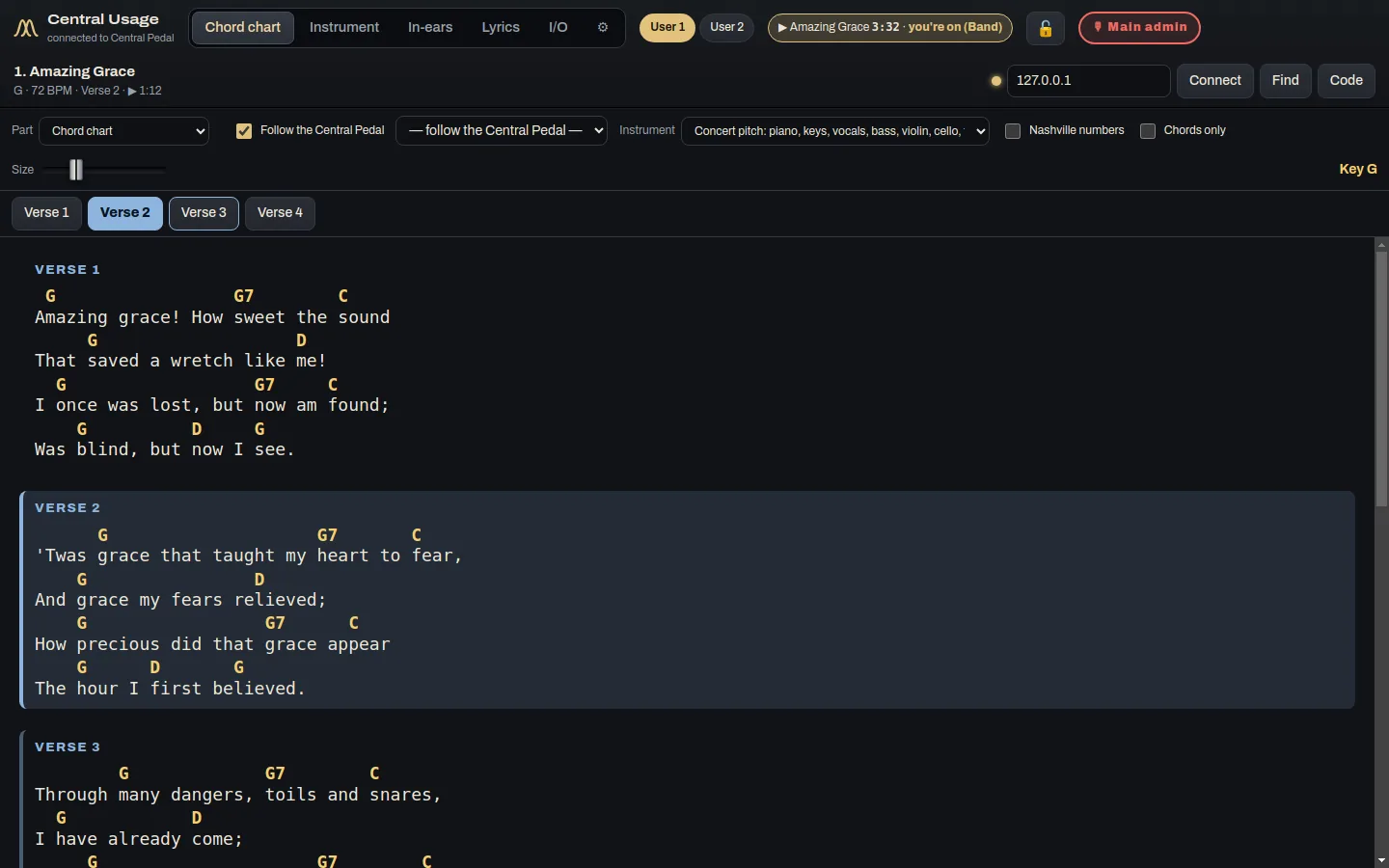
 Central Usage
Each musician's chart, sound and mixCentral Usage is the app for the people on stage. Each musician and singer gets their own chord chart, the lyrics, their instrument sound and their own in-ear mix. It works at church and at home.
See what it does