 Central Pedal
The pedal at the worship leader's feet
A floor unit that plays your pads and multitracks, shows the chart and lyrics, and runs a looper and a guitar or keys rig. It has 12 footswitches, knobs, a touch screen and two HDMI ports. We build and test each one, and it arrives ready to play.
You pay once. The software is already on it, it keeps itself up to date, and it doesn't need a key.
What Central Pedal does
On stage
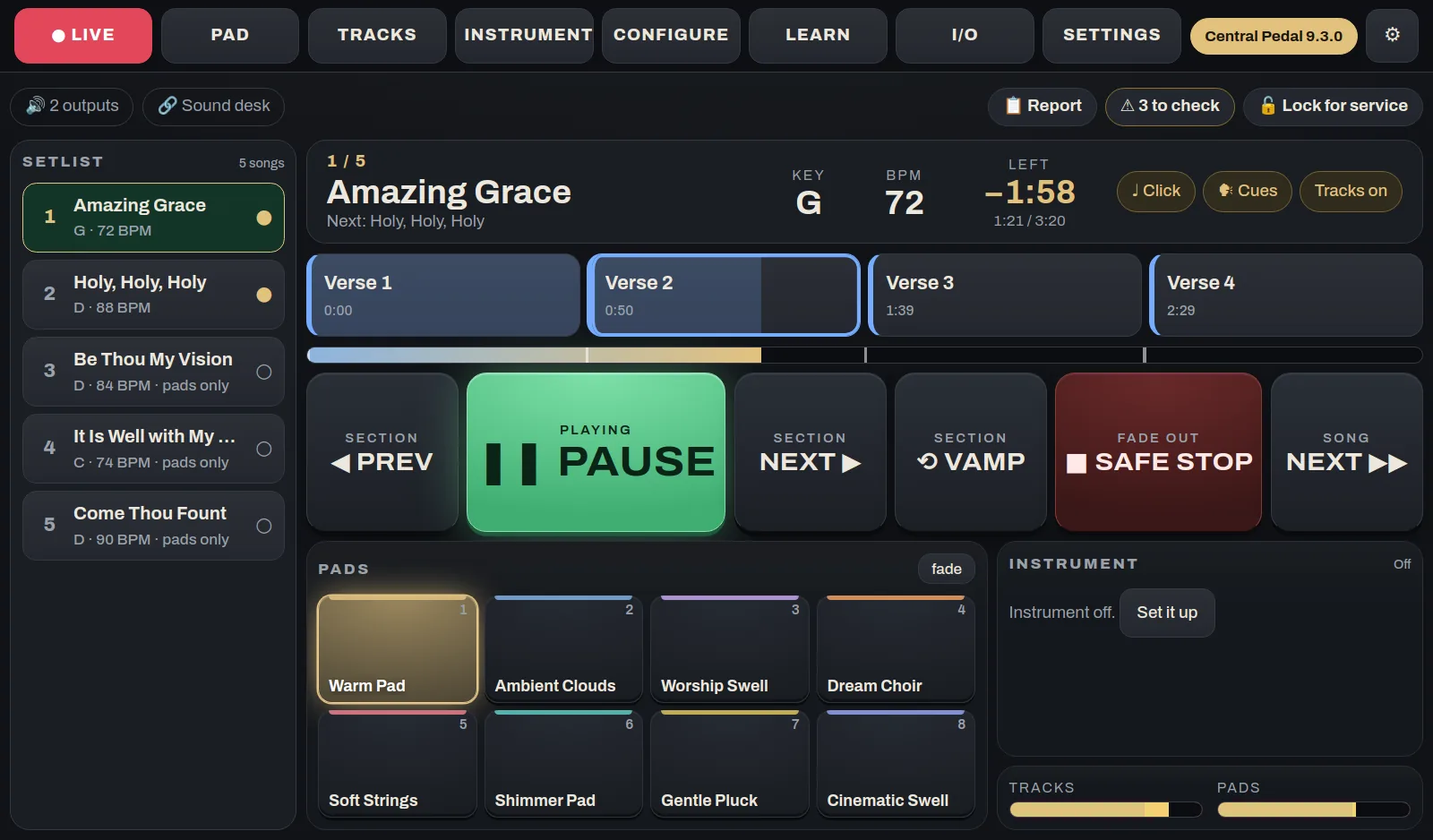
- The song you're onThe key, the tempo, how long is left and what's coming next, in type big enough to read from where you stand.
- Jump to any sectionTap a section on the screen or step through them with a footswitch. Vamp keeps repeating the section you're in, and Safe stop fades out at the end of the bar.
- Songs flow into each otherWhen you move to the next song, the pad slides into its key and tempo. There's no gap.
- Lock it for the serviceOne button locks the settings so nobody changes something by accident mid-song.
Tracks
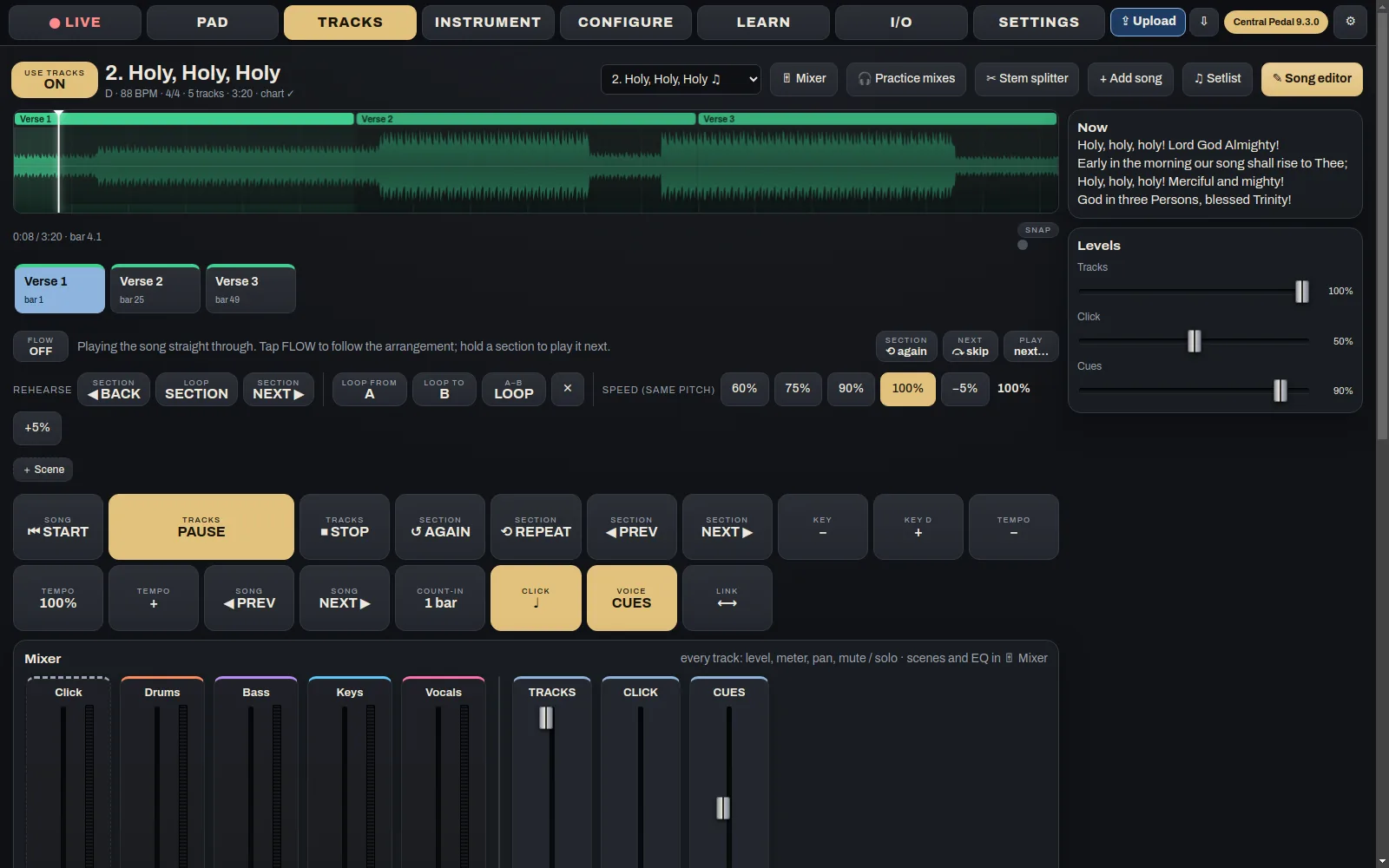
- Multitracks with a click and cuesYour stems play with a click and spoken cues like "Verse" and "Build". You can mute or turn down any stem while the song plays.
- Your own songsBring MP3s or WAVs on a USB stick, send them from Central Pedal Control, or add them from Central Tracks.
- Any key, any tempoPlay a song in a different key or at a different speed. The chart changes with it.
- Tracks and pads are separateYou can run tracks with no pad, or a pad with no tracks.
Pads and effects
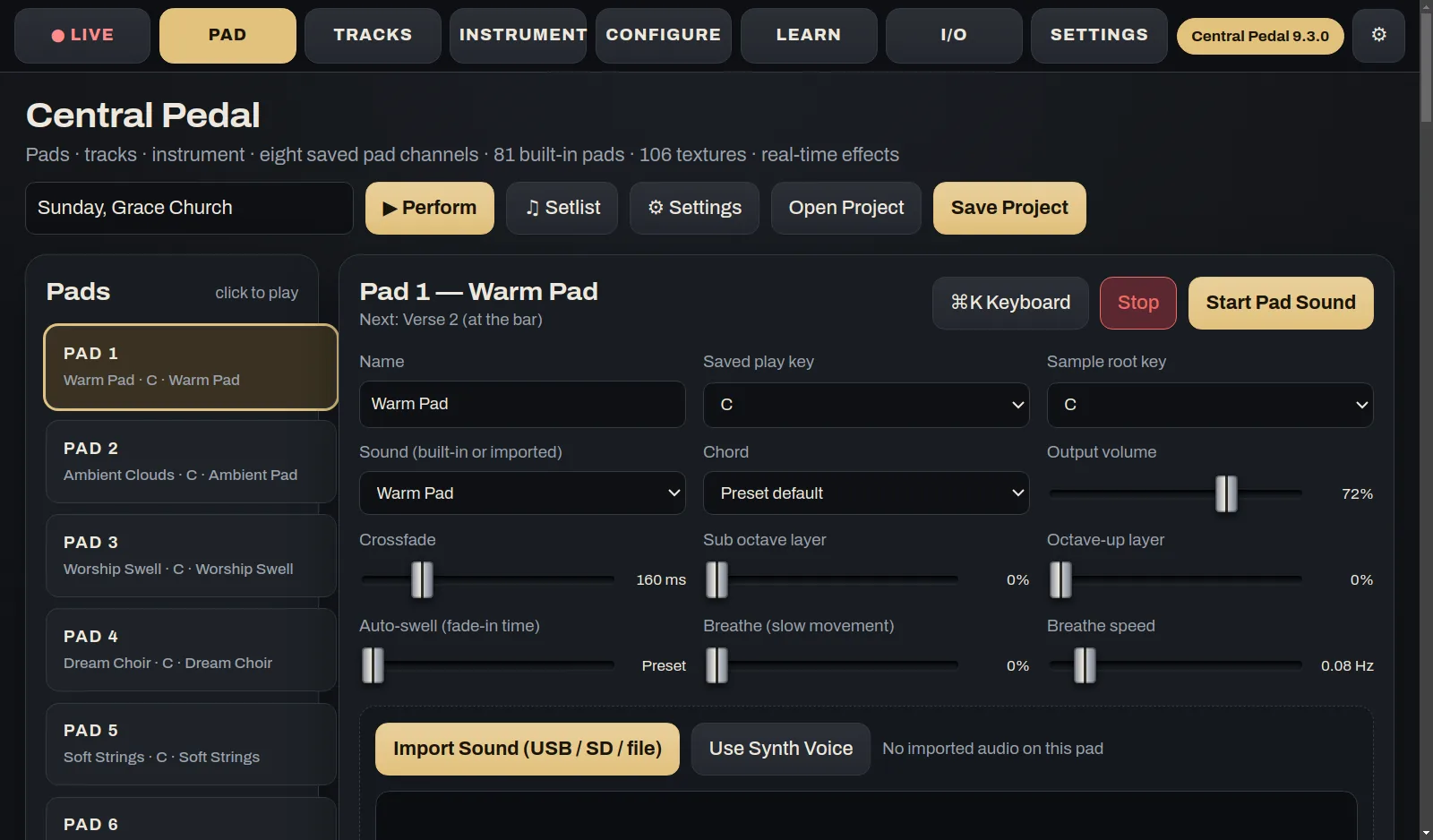
- Pads in all 12 keysWith Central Pads and Central Pads Extra you get 82 of them. Some are warm, some airy, some are choir or strings, and six of them move in time with the song.
- Morph, freeze and swellUse the expression pedal to blend from one pad to another. You can also freeze the sound where it is, or swell up into the next section.
- Effects on the stems and padsA basic EQ, compressor, reverb and delay come free. The plans add better ones, and plugins you build yourself work here too.
- A level for each padEvery pad has its own slider. Bus levels and mutes can go on the footswitches.
Looper and instrument
- A looper with three loopsRecord, overdub and stop up to three loops from the 3.5" screen, the HDMI screen or Central Pedal Control.
- Plug in a guitar or keyboardPlay a guitar through pedal boards, or a USB keyboard through the keys sounds.
- Set the controls your wayThe 12 buttons, 6 knobs and 2 sliders can do whatever you want. Change tabs, move around the screen, set bus levels or fire any action.
Screens and sound
- A touch screen at your feetThe 3.5" screen has the pads, tracks, effects, setlist, scenes and looper. If someone uses a mouse on the HDMI screen, you see it here too.
- Two HDMI portsEach one can show something different. Put the full app on one and the lyrics for the room on the other, or show the chart.
- Send the sound where you wantThe headphone jack is outputs 1 and 2, a DAC board adds 3 and 4, and a USB audio interface adds more after that. Route each bus wherever you need it.
- It updates itselfEvery few hours it checks for an update and installs it during a quiet minute. It never updates while something is playing. You can also update it from a USB stick.
Screenshots
These are from the real app, not mock-ups.
Who it's for
Whoever plays the pads and tracks. That's usually the worship leader or the keys player.
Where it runs
It comes with its software already on it, and it updates itself.
DownloadsGet it
You pay once. The software is already on it, it keeps itself up to date, and it doesn't need a key.
If you want every detail, there's a full Central Pedal manual. Stuck on something? Try the Help Center.
The other apps
They're separate apps, but on the same Wi-Fi they find each other and share the work.
 Central Pedal Control
Get the pedal ready from homeThis is where the week's prep happens. Build the setlist, add songs and tracks, set up the pads and the instrument, and decide what each button on the pedal does. When you're done, press Upload and it all goes to the pedal.
See what it does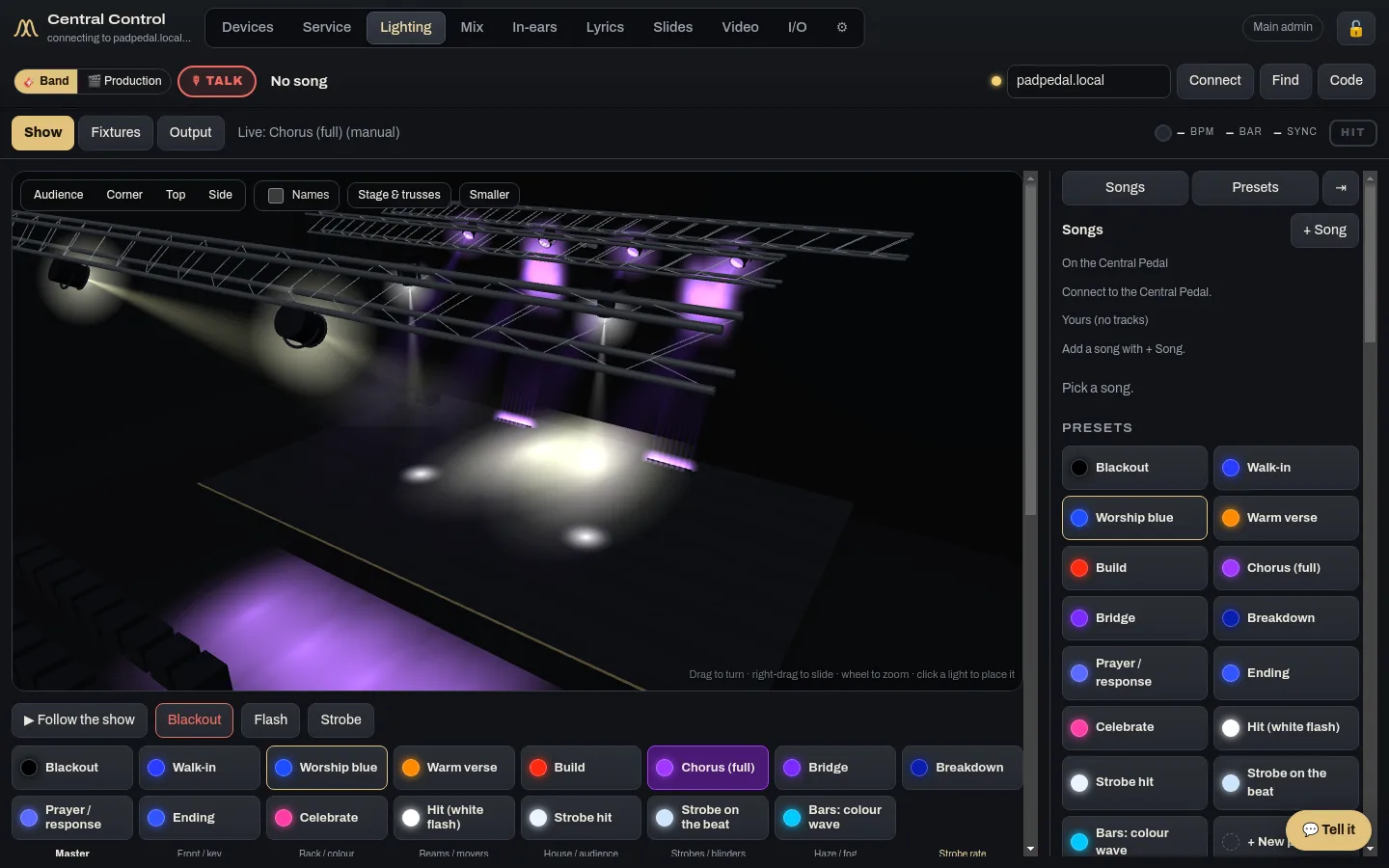
 Central Control
The desk runs the whole serviceCentral Control runs the room from the desk: lights, lyrics, slides, cameras, the stream, in-ears and the run sheet. If you have more than one computer back there, give each one its own jobs and they work together.
See what it does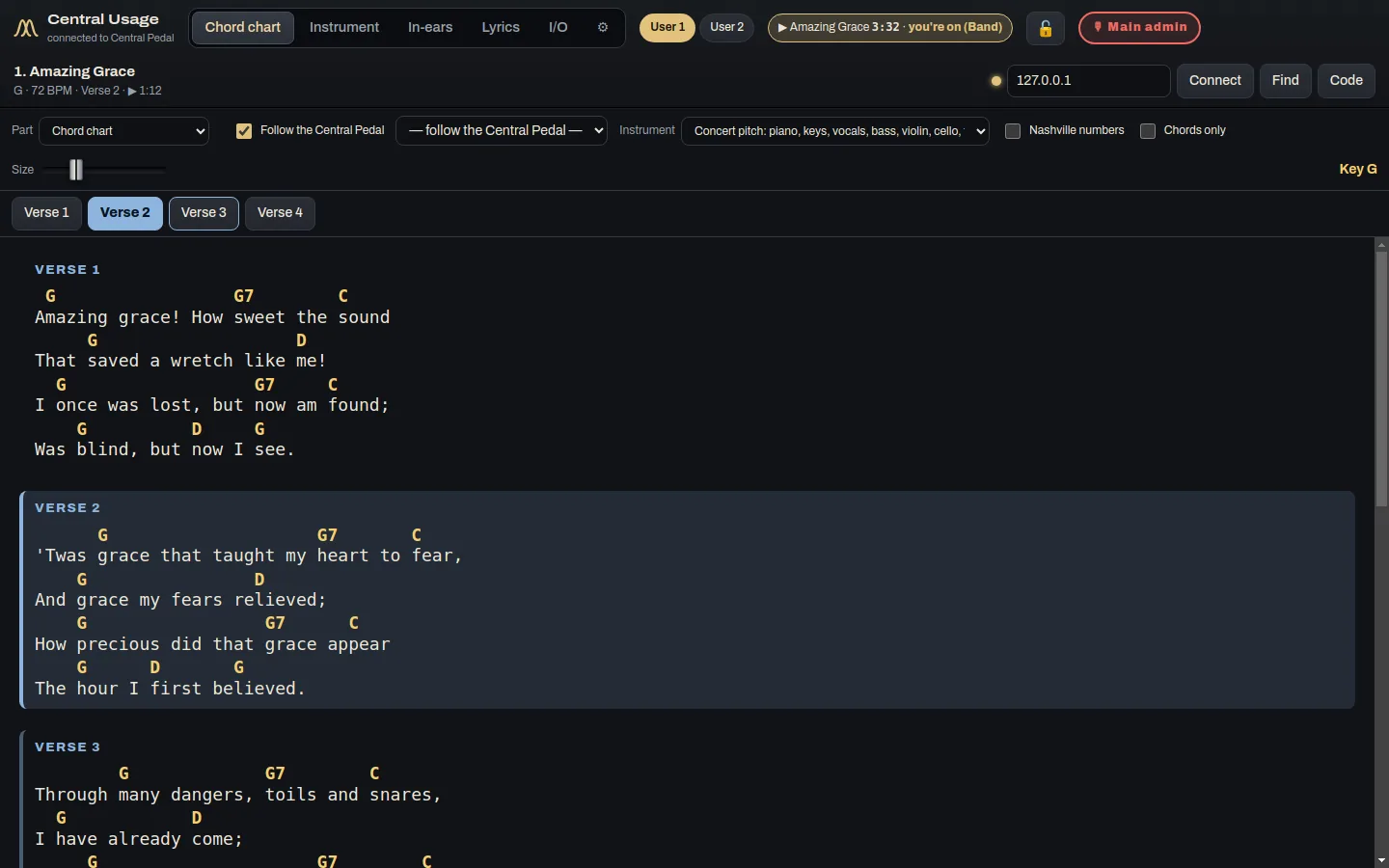
 Central Usage
Each musician's chart, sound and mixCentral Usage is the app for the people on stage. Each musician and singer gets their own chord chart, the lyrics, their instrument sound and their own in-ear mix. It works at church and at home.
See what it does