 Central Services
Who's serving, sorted
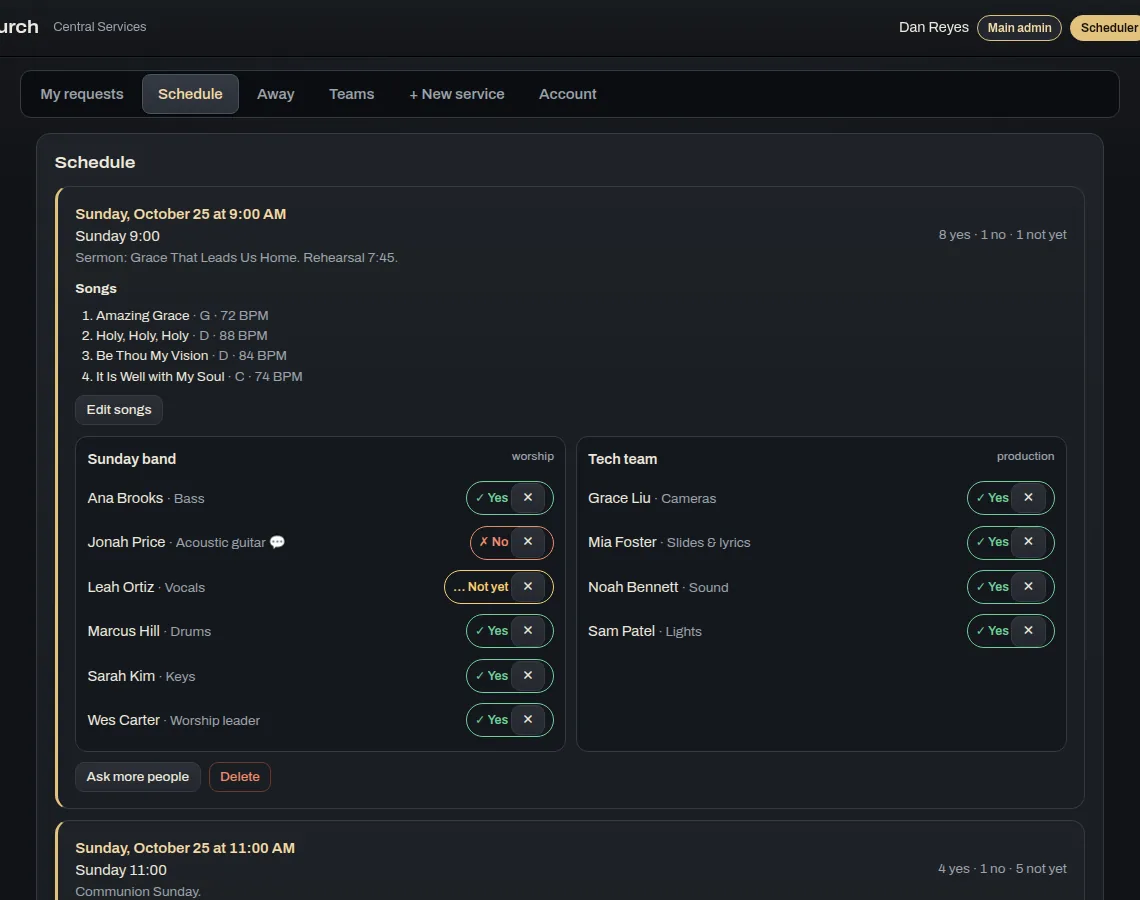
Central Services is the church's schedule. It shows the services, who's been asked, who said yes, who's away and what's being played, and everyone has it on their phone.
One slot per person on your teams, paid once. Every church pack comes with some.
What Central Services does
Scheduling
- Services and requestsSchedulers set up a service and ask people from the worship and production teams. Each person gets an email and taps yes or no.
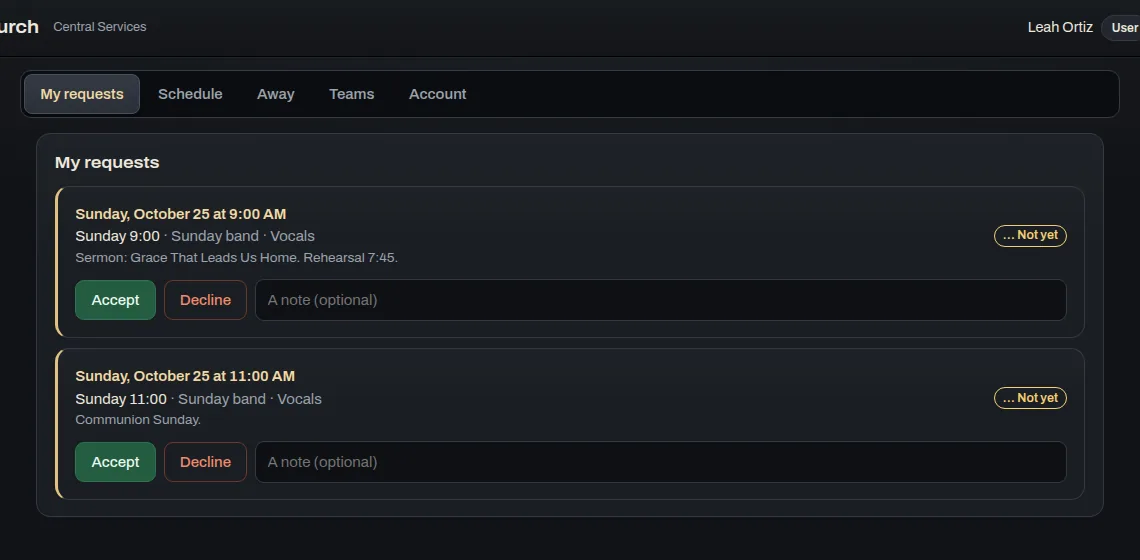
- My requestsEveryone sees what they've been asked to do, and can leave a note if they can't make it.
- AwayPeople mark the dates they'll be away, and the schedulers can see them.
Teams and setlists
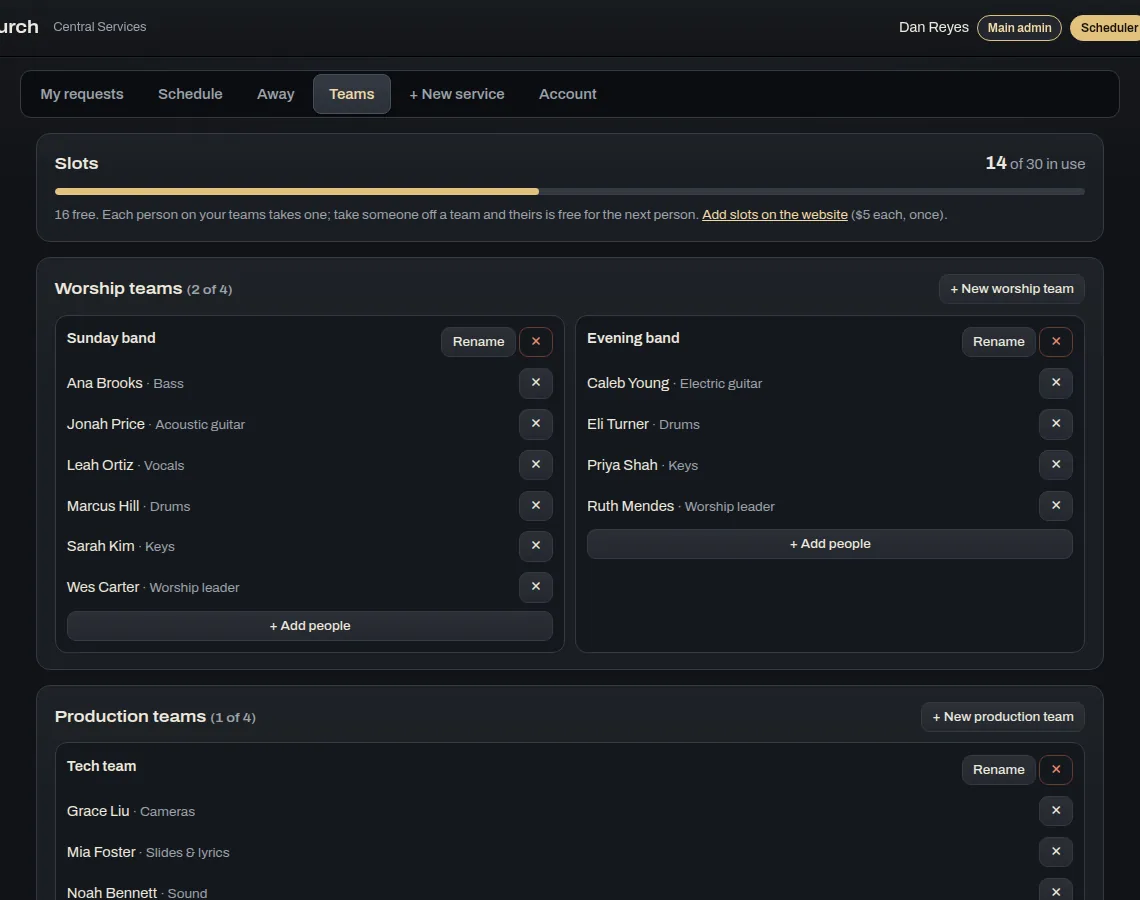
- TeamsSee who serves where, and how many of your church's slots you've used.
- SetlistsSetlists you make in the apps show up here with their keys and tracks.
- Slots, not keysTake someone off a team and their slot opens up for the next person.
Screenshots
These are from the real app, not mock-ups.
Who it's for
Anyone who serves. Schedulers set up the services, and everyone else answers from their phone.
Where it runs
Free to download for Web browser, Mac, Windows, Linux, iPhone and iPad, Android. The first time it opens, it asks for your key.
DownloadsIf you want every detail, there's a full Central Services manual. Stuck on something? Try the Help Center.
The other apps
They're separate apps, but on the same Wi-Fi they find each other and share the work.
 Central Pedal
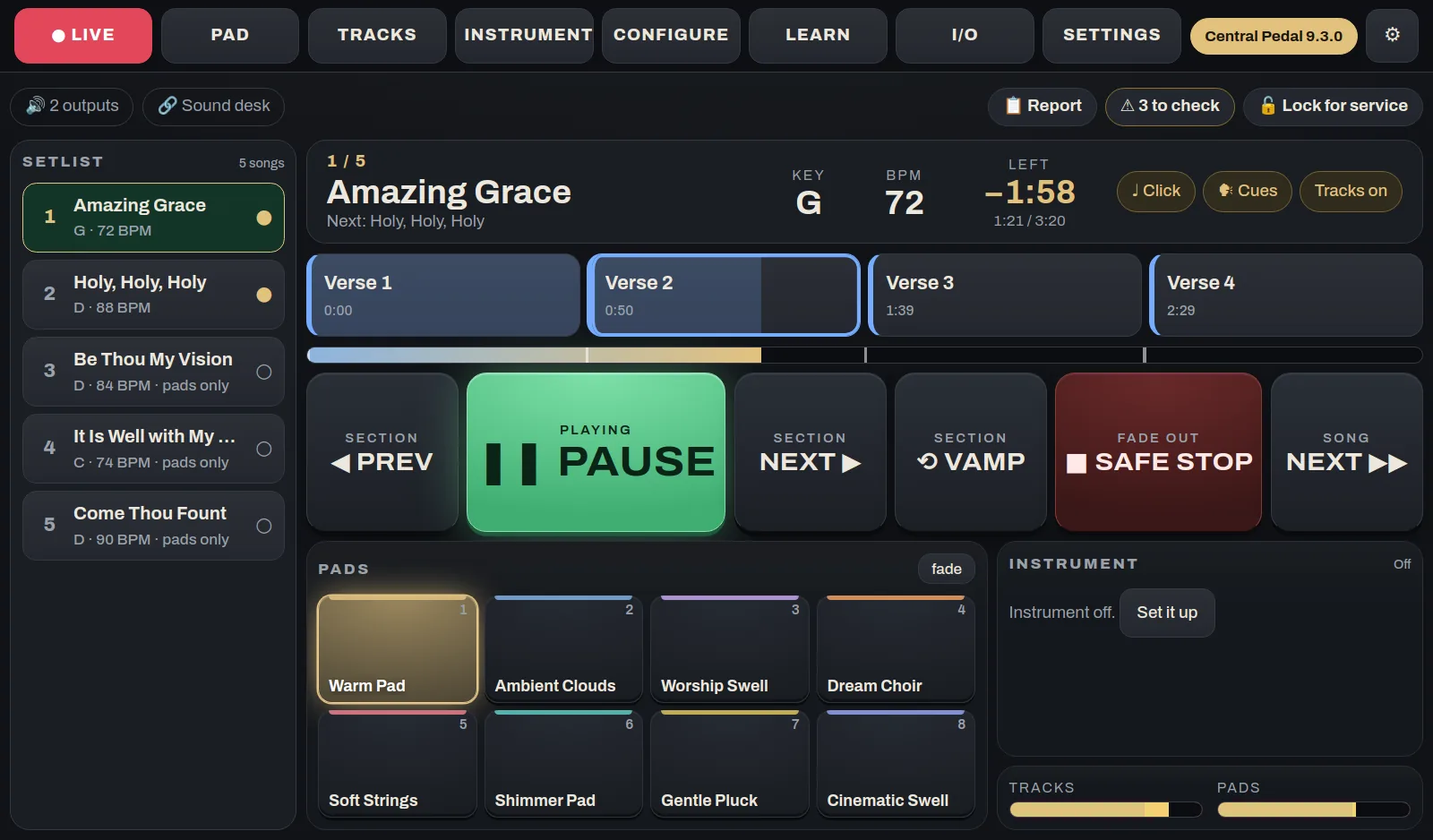
The pedal at the worship leader's feetA floor unit that plays your pads and multitracks, shows the chart and lyrics, and runs a looper and a guitar or keys rig. It has 12 footswitches, knobs, a touch screen and two HDMI ports. We build and test each one, and it arrives ready to play.
See what it does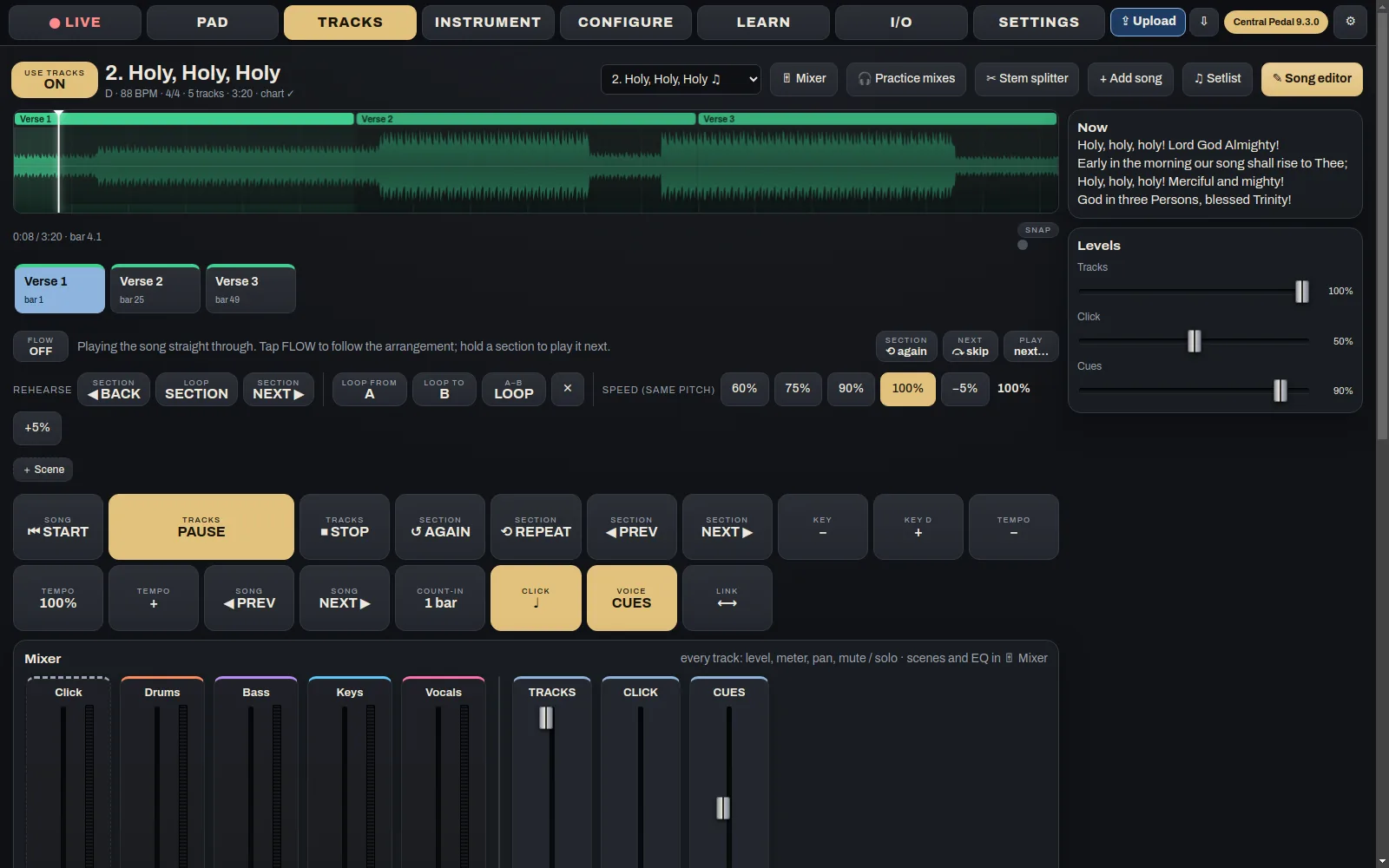
 Central Pedal Control
Get the pedal ready from homeThis is where the week's prep happens. Build the setlist, add songs and tracks, set up the pads and the instrument, and decide what each button on the pedal does. When you're done, press Upload and it all goes to the pedal.
See what it does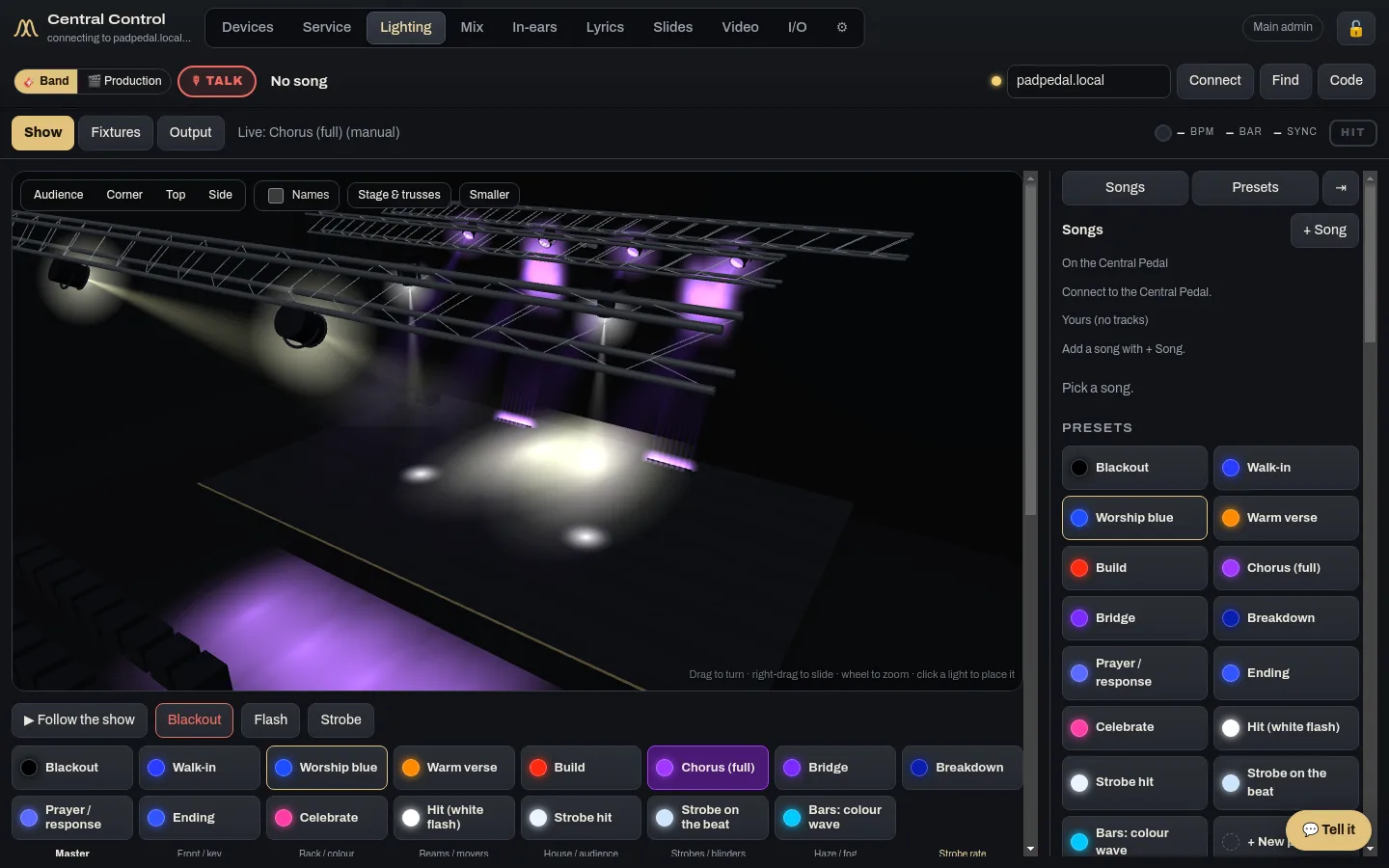
 Central Control
The desk runs the whole serviceCentral Control runs the room from the desk: lights, lyrics, slides, cameras, the stream, in-ears and the run sheet. If you have more than one computer back there, give each one its own jobs and they work together.
See what it does